
HOW TO
Change Contributions.
Adjust how much you contribute from each paycheck.
1. Before You Begin
You must be logged in to your account to make changes: http://leverageretirement.io/login
2. Navigate to the Change Contributions Page
❶ Hover your mouse over the MANAGE tab then click Contributions subtab
❷ Now click Change my contributions inside the Paycheck Contributions icon
3. Make your election & Submit your changes
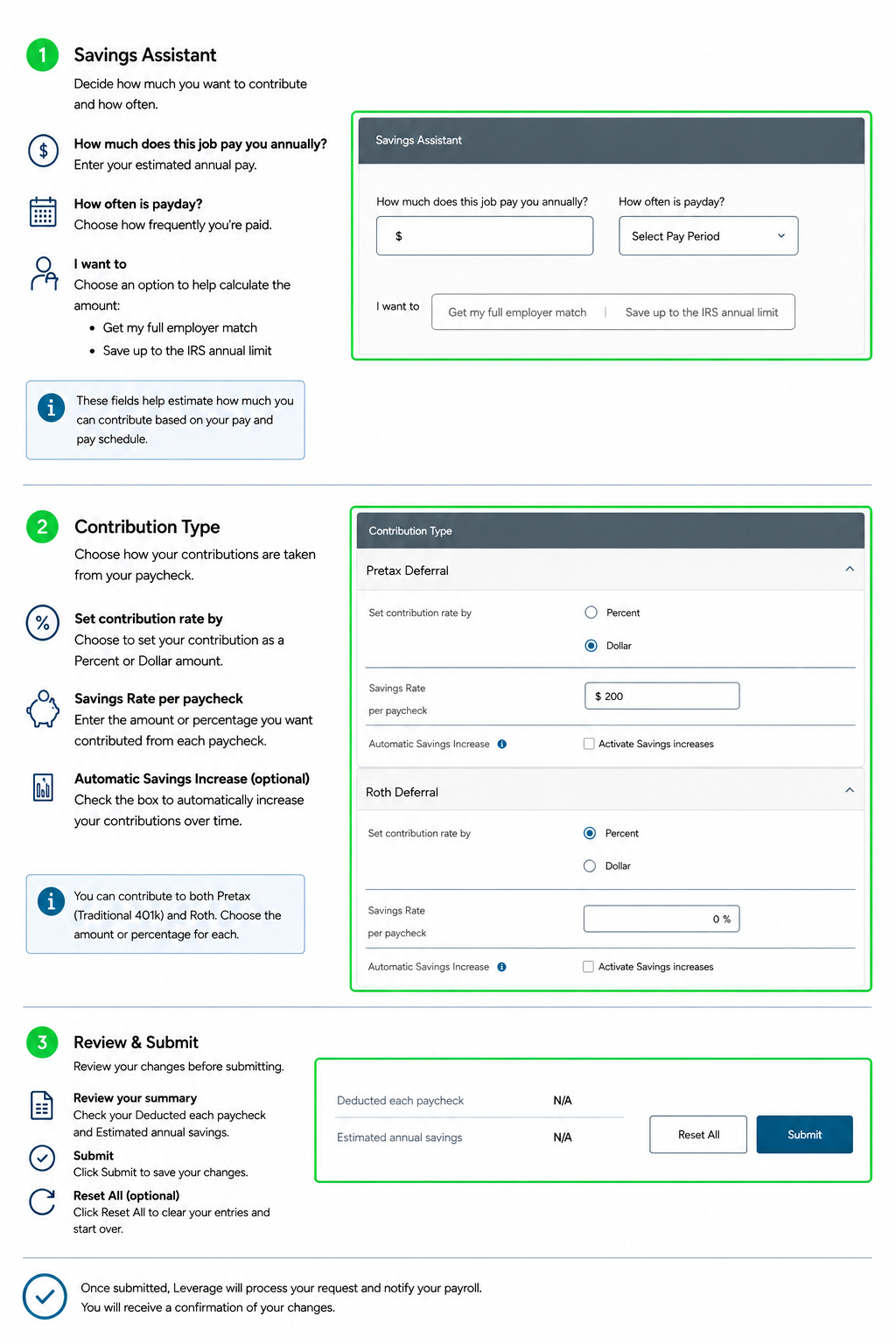
The guide below explains the three main sections on the Change Contributions page and what each one means.
**Please note, your deferral amount will be for each payroll processed.